 StarHop NavigatorDE
A tool for observers who want to discover the sky on their own.
A crosshair shows you the direction. The offset indicator tells you how far you still need to slew. Look through the eyepiece when you're close.
No planetarium, no autopilot. A compass for the sky.
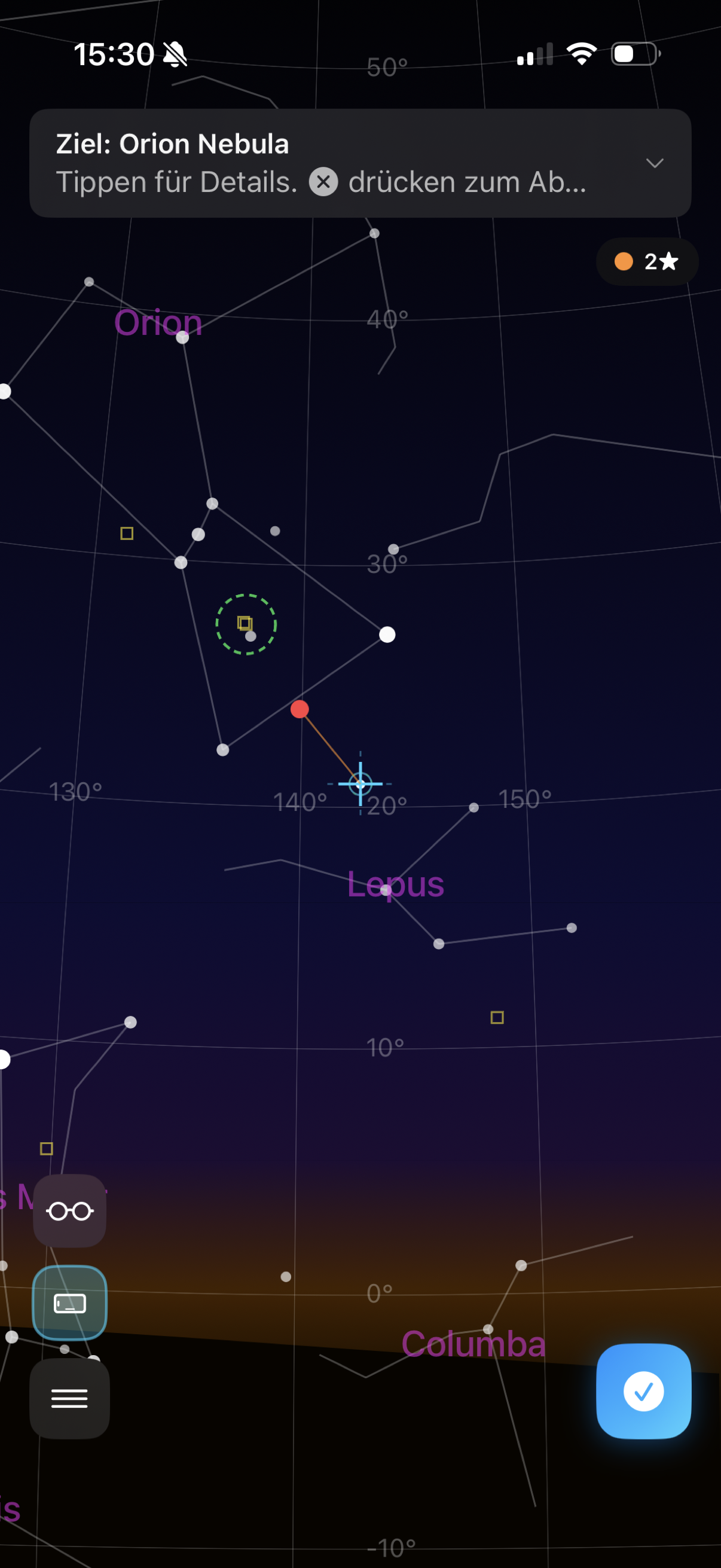
The app shows you the sky in real time — stars, constellations and deep-sky objects, exactly where they stand in the sky.
After calibration, the view becomes your precise telescope guide: the crosshair and offset indicator bring you to your target.
Point your telescope at a known star and confirm it in the app. That's it — the app now knows where your telescope is pointing and can guide you to any other object.
A traffic-light indicator shows you how good your calibration is. Green: ready. Yellow: another star would help. Measurements that don't fit are filtered out automatically.
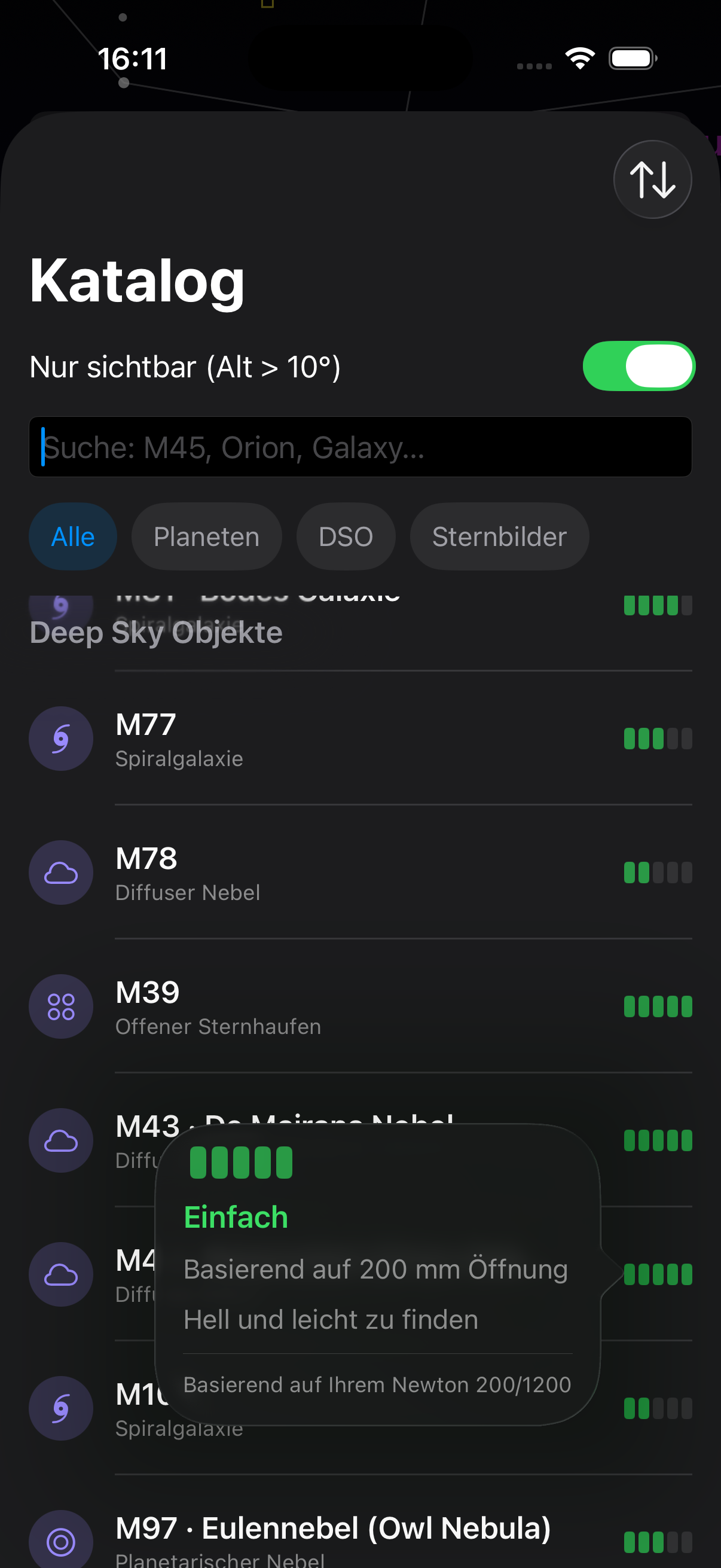
Nebulae, galaxies, star clusters, planets — you can browse, filter and sort everything. The app immediately shows you how well an object is observable with your equipment.
Every season has a curated observing list with the best objects currently in the sky — with suitable calibration stars so you can get started straight away.
You can also create your own lists and mark favourites. A filter hides objects that are currently below the horizon — so you only see what you can observe right now.
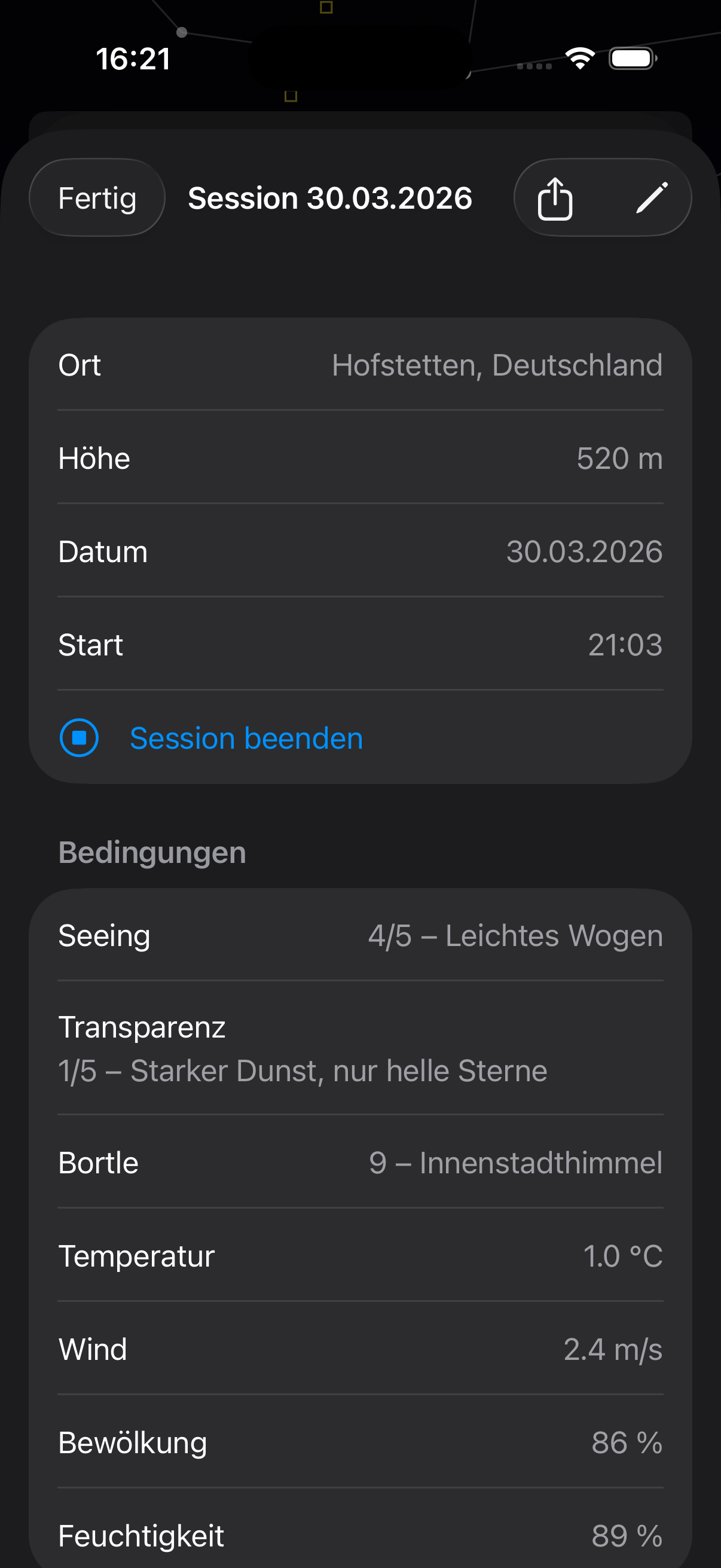
Write down what you've seen — with target, equipment, conditions and your notes.
Group entries into observing sessions — by location, date or conditions. And look back at everything you've discovered.
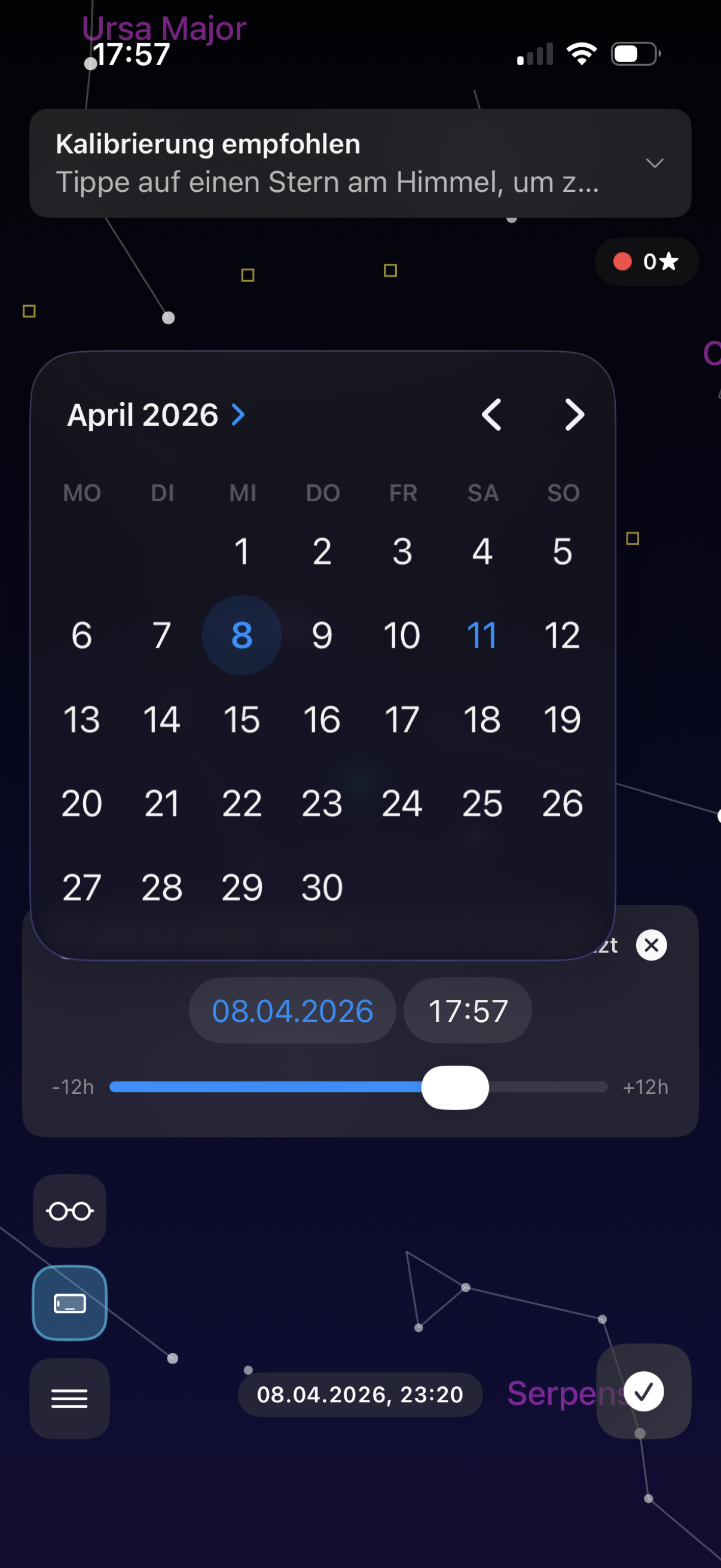
What will the sky look like tomorrow night? Pick any date and time — the app shows you the sky exactly as it will appear. Plan your next session before you even set up the telescope.
And after observing: jump back to a past session with one tap. The observation log lets you revisit the sky at the exact time you were there — so you can check what else was visible that night.
How much sky have you seen? Statistics show your Messier progress, personal records, an activity heatmap and which equipment you use most.
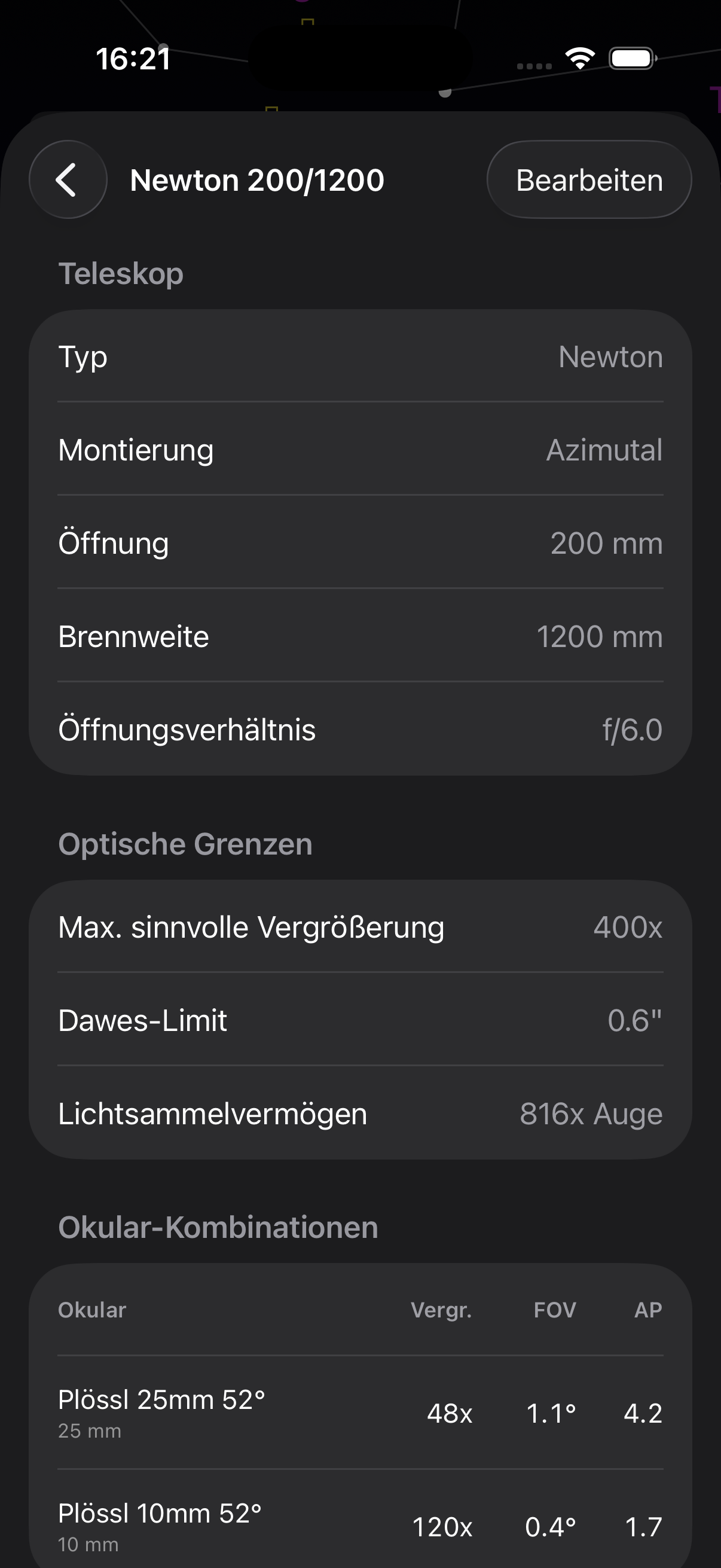
Enter your telescopes, eyepieces, filters and Barlow lenses. The app calculates magnification and field of view automatically — and logs the equipment used in your observation diary.
Based on your equipment you get observing recommendations: which eyepiece fits, whether a filter makes sense and whether your telescope has enough aperture for the object.
Red light preserves your dark adaptation. Intensity and colour tone are adjustable.
The app knows your equipment and suggests suitable magnifications, eyepieces and filters.
iPhone lying on the tube or facing forward? The app adapts to your setup.
Back up all your settings and restore them on another device.
The app offers tips when you need them. Not intrusive — but there when you look.
For people with patience. And with curiosity.
See it for yourself — tonight.